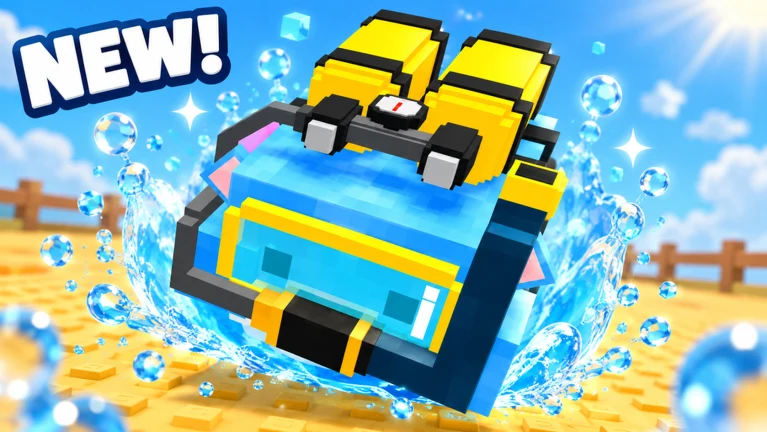
- Hamster Village apk: No official APK file exists — the game runs only on Roblox.
- Play on mobile: Install the official Roblox app from Google Play or the App Store.
- Core loop: Buy Hamsters, collect Seeds, deposit for Money, merge into higher tiers.
- Avoid APK sites: Third-party APK downloads claiming to be Hamster Village are unofficial and risky.
- Free to play: Access the game through the official Roblox game page at no cost.
Hamster Village APK: What You Need to Know
Hamster Village is a cute incremental tycoon game developed by Dojo Empire, available exclusively through the Roblox platform. If you have been searching for a Hamster Village apk file to sideload on Android, there is important information you should know before downloading anything.
Hamster Village is a Roblox experience, not a standalone app. The developer has not released any APK file. Any website offering a "Hamster Village apk" download is distributing unofficial content that may harm your device or compromise your account. The only safe way to play is through the official Roblox platform.
The game's core loop is simple and addictive: you buy Hamsters, they passively drop Seeds, you collect and deposit Seeds to earn Money, and you reinvest that Money into more Hamsters or merge duplicates into higher tiers. With over 4.47 million visits and 116K+ favorites, it has become a popular choice for fans of cozy incremental games.
Here is how the game compares to what unofficial APK sites may promise:
| Aspect | Official Roblox Version | Unofficial APK Claims |
|---|---|---|
| Source | Official Roblox game page | Unknown third-party websites |
| Safety | Verified platform security | Malware and account-theft risk |
| Updates | Automatic, same-day patches | Frozen or broken copies |
| Cost | Free to play | Often bundled with ads or paywalls |
| Cross-platform | Mobile, PC, console via Roblox | Android only, no cloud saves |
How to Install and Play Hamster Village on Mobile
Playing Hamster Village on your phone takes only a few minutes. Because the game lives inside Roblox, installing the Roblox app is all the setup required.
Download the Roblox App
Open Google Play (Android) or the App Store (iOS) and install the official Roblox app. Never download Roblox from third-party APK mirrors — only the official stores are safe.
Create or Log In to Your Account
Set up a free Roblox account, or log in with your existing credentials. Your progress in Hamster Village is tied to this account.
Search for Hamster Village
Type "Hamster Village" into the Roblox search bar. Look for the game by developer Dojo Empire to make sure you enter the right experience.
Tap Play and Start Your Village
Hit the green Play button. Use your starting Money to buy your first low-tier Hamster and begin collecting Seeds right away.
Enable Notifications for Updates
Favorite the game and consider following it so you get notified when new Hamster tiers and updates drop.
Roblox runs on nearly all modern Android and iOS devices. If the app runs slowly in a large village, lower the graphics quality in the Roblox settings menu for smoother Seed collection runs.
Core Gameplay Loop Explained
Every session of Hamster Village revolves around the same satisfying cycle. Understanding how each stage feeds the next is the key to growing your village quickly.
Buy Hamsters
- Spend Money on low-tier Hamsters
- Each one drops Seeds passively
- Buy in bulk early for merge material
Collect Seeds
- Walk over or click dropped Seeds
- Higher tiers drop more, faster
- Frequent collection beats rare big pickups
Deposit and Merge
- Convert Seeds into Money at the deposit area
- Merge identical Hamsters into higher tiers
- Reinvest earnings to snowball income
The table below breaks down the four pillars of the loop:
| Stage | Action | Output | Best Practice |
|---|---|---|---|
| Production | Hamsters generate Seeds over time | Passive Seed accumulation | Fill all plots with your highest tiers |
| Collection | Pick up Seeds near Hamsters | Seed inventory | Do regular laps around the village |
| Deposit | Convert Seeds at the bank | Money | Deposit in bulk after full collection runs |
| Merge | Combine identical Hamsters | Higher-tier Hamster | Merge whenever duplicates sit idle |
Merging is essentially free income. Higher-tier Hamsters produce significantly more Seeds than the originals combined, so a single strong Hamster can out-produce many low-tier ones. Prioritize merges over new purchases whenever you have matching duplicates.
Beginner Progression Path
New players often stall because they hoard Money or skip collection runs. Follow this proven path to build a stable income loop within your first few sessions.
| Phase | Goal | Key Action | Common Mistake |
|---|---|---|---|
| Minutes 1-5 | First income loop | Buy cheapest Hamsters immediately | Waiting to buy "the best" one |
| Early | Steady Seed flow | Collect and deposit in loops | Letting Seeds pile up uncollected |
| Early-Mid | First merges | Bulk-buy duplicates for merging | Spending on cosmetics too early |
| Mid | Unlock new tiers | Reinvest all surplus Money | Hoarding cash instead of scaling |
| Late | High-tier village | Chain merges toward top tiers | Leaving low tiers on valuable plots |
First Session Milestones:
- Buy your first Hamster with starting Money
- Complete one full collect-and-deposit loop
- Purchase at least three duplicate Hamsters
- Perform your first merge into a higher tier
- Reinvest all earnings back into Hamsters
Money sitting in your balance earns nothing. Every idle coin is lost production time — reinvest into Hamsters and unlocks as soon as they become affordable to keep your income curve climbing.
Staying Safe from Fake APK Scams
Because Hamster Village is popular, some sites try to exploit players searching for offline or modded versions. Knowing the red flags protects both your device and your Roblox account.
| Red Flag | Why It Is Dangerous | Safer Alternative |
|---|---|---|
| "Hamster Village mod APK" | Mods can steal login credentials | Play the official version on Roblox |
| "Unlimited Money APK" | No legit offline version exists | Earn Money through the deposit loop |
| "APK + OBB download" | Often bundles malware | Roblox app from official stores |
| Login-required mirror sites | Phishing for account data | Only sign in at roblox.com |
Never enter your Roblox username or password on any site other than roblox.com or the official app. If a download page asks for credentials before giving you a file, close it immediately — Hamster Village requires no separate account.
FAQ
Q: Is there a Hamster Village APK download available?
No. Hamster Village is a Roblox experience developed by Dojo Empire and has no standalone APK. To play on mobile, install the official Roblox app from Google Play or the App Store and search for Hamster Village within Roblox.
Q: Can I play Hamster Village for free?
Yes. Like most Roblox experiences, Hamster Village is free to access through the official game page. Optional in-game purchases may exist, but the core loop of buying Hamsters, collecting Seeds, and merging is playable without spending money.
Q: How do I make Money fast in Hamster Village?
Collect Seeds frequently, deposit them in bulk at the bank, and reinvest every coin into more Hamsters. Merging duplicates into higher tiers boosts Seed output without spending Money, making it the most efficient income multiplier.
Q: Will my progress transfer between devices?
Yes. Because Hamster Village runs on Roblox, your village progress is saved to your Roblox account and carries across mobile, PC, and any other platform where you sign in with the same account.